MHacks 2026
Sceneuron: signs of intelligence for your camera.
An AI producer that puts live signs on your video in Zoom, Meet, Teams or any stream. Professional doesn't mean sterile.

Four ways to raise a sign
Signal without taking the floor, or breaking eye contact.
-
Stream Deck
One key per sign. It lights up while the sign is on.
-
Hands
3 fingers is a 3. Raise your hand to ask.
-
Voice
“Sceneuron, wrap it up.”
-
AI
Hold something up and it names it.
Stream Deck
A key for every sign.
Our own Stream Deck plugin. Each key looks like the card it raises and turns amber while that card is on your video.
- Ready-made profile: Meeting, Planning poker and Classroom pages
- Pairs with Sceneuron in one click
- Push-to-talk, Reveal and Next round keys for the poker room
- Turn a Stream Deck + dial to flip through a deck

Live description
It narrates what it sees.
A live line of what the camera understands. On your Mac, every frame, free.
- On-device
- Free
- Nothing sent
Actually intelligent, with Gemini
Cheap intelligence first. The big model only when it matters.
- 1
On-device vision
Every frame, free. Faces, hands, 21 joints, objects, text.
- 2
Quick judge: Jev
TypeSafe's Jev judges your conditions from on-device facts in under a second, only when the scene changes. Text only, never images.
- 3
Gemini
Only when unsure, or when something needs a name.
Tell it what to watch for
Write it in plain English: “I'm holding something up.” “A pet walked in.” It shows “Now showing: coffee mug” or “Cat on stream!”
Set up with AI
“I run sprint planning on Zoom.” Gemini proposes the decks, cards and rules. Nothing changes until you say yes.
Say anything
If Sceneuron doesn't know a voice command, Gemini figures out what you meant.
Every decision explained
Each change lands in a log with the AI's reason, how long it took and what it cost. An hourly budget caps the spend.
Voice by ElevenLabs
Talk to it.
Push to talk, or just say its name.
- It only acts on a clear match. “I don't agree” won't raise Agree.
- Cards can speak out loud in the call.
- Card names are sent as keyterms, so it hears them right.
- “wrap it up”
- “my vote is eight”
- “reveal”
- “next round”
- “hacker theme”
- “subtitles in Spanish”
- “mind blown”
Powered by SpacetimeDB
Make those long sprint planning meetings fun and engaging.
Everyone votes in secret, so nobody just copies the loudest person. SpacetimeDB keeps every vote hidden until someone hits reveal, then all the cards flip at the same moment.
- Vote with a key, your fingers or your voice
- See everyone's votes and the average
- Practice alone with simulated teammates
Live subtitles by ElevenLabs + Gemini
Subtitles in any language.
Your words under your video as you talk, translated into up to three languages at once.

- About 150 ms behind you
- Even Klingon, Quenya and Toki Pona, in their own scripts
- Real closed captions on streams
- Translate with Gemini or a local model
It grows with you
Start with one sign. Grow into a whole room.
- 1
One sentence
Describe your meeting and Sceneuron drafts the setup.
- 2
Setup
Add decks, rules and things for the AI to watch for as you need them.
- 3
Shared room
Bring your team into one room that votes and reveals together.
- 4
Live subtitles in new languages
Add a language and everyone can follow along.
LIVE
Design review room
8 people · 4 signs active
Reactions
Reactions that feel human.
Trigger them with a key, by voice, or with your face: a facepalm or sticking your tongue out.

- Mind blown
- Ship it!
- Coffee break?
- You're absolutely right
- More tokens
- Works on my GPU
Card packs
Signs for every room.
Ready-made packs for meetings, sprint planning, classes and status.
Meeting
- Wrap it up
- We're off track
- I have a question
- Let's take this offline
Poker
- 0
- 1
- 2
- 3
- 5
- 8
- 13
- 21
- ?
- ☕
Classroom
- Hand raised
- Please repeat
- Got it
- A · B · C · D
Status
- On mute
- Back in 5
- At lunch
- Presenting
Plus Be right back when you step away, your name, an ON AIR timer and a pet alert. Edit any card, build your own decks, drag anything anywhere.
Themes
Pick your vibe.
One click changes the whole look. Every theme passes 4.5:1 contrast.
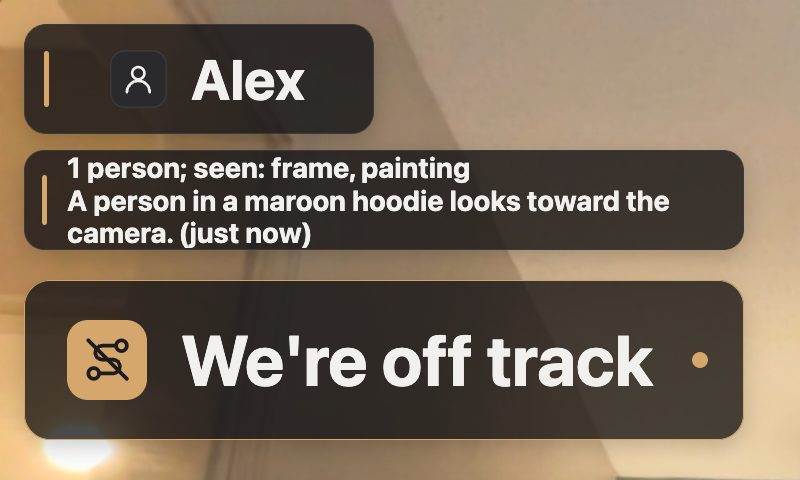
Graphite 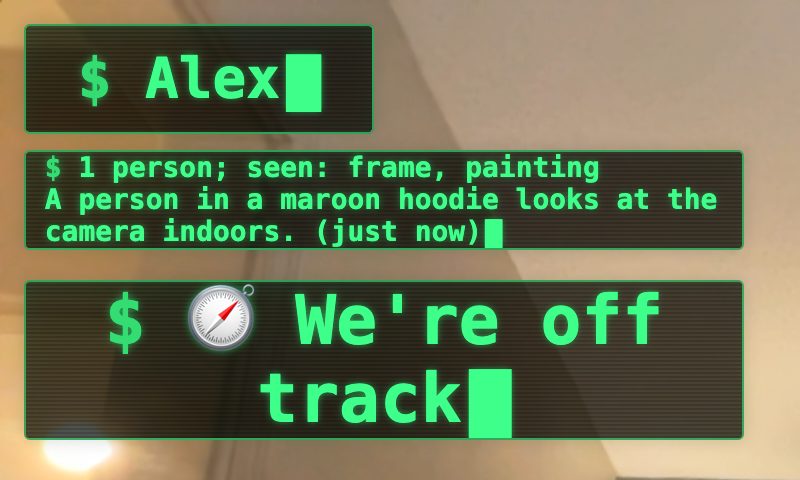
Hacker 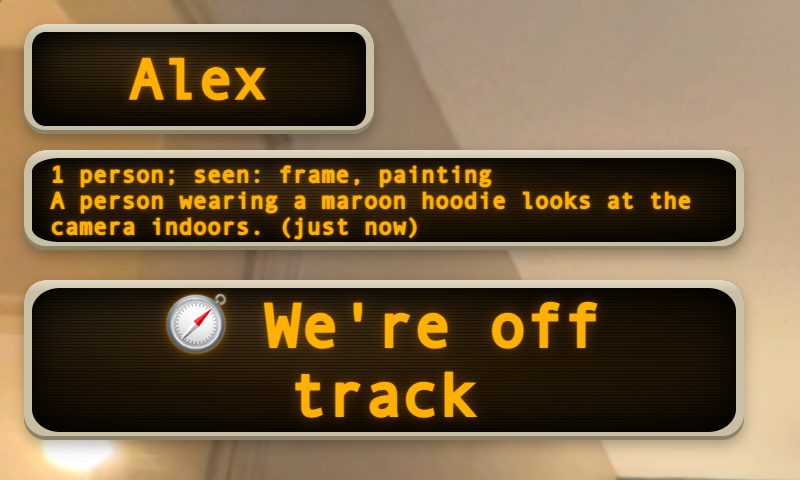
80s 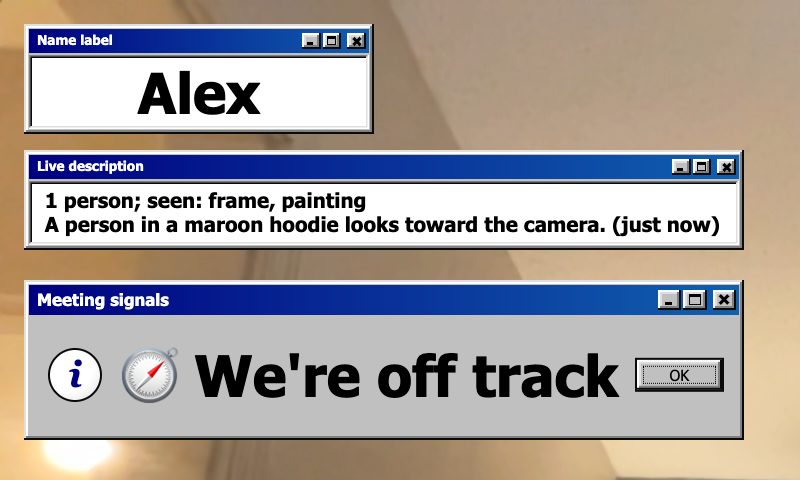
Windows 95 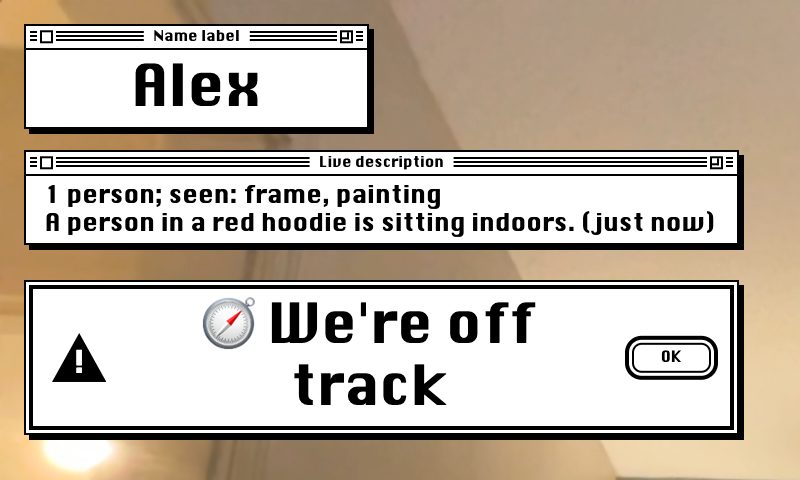
Classic Mac 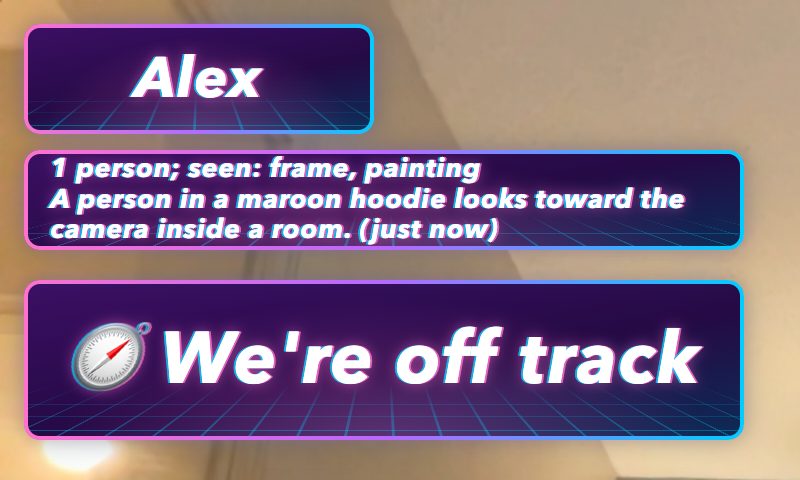
Vaporwave


Integrations
Works where you already are.
OBSVirtual CameraZoom · Meet · Teams · any stream
- Set up OBS for me: one click
- Stream Deck pairs by itself
- OBS hotkeys, Bitfocus Companion and a local API
- Save your whole setup as one file and share it
The editor
One place to run it all.
The editor runs on your Mac: cards, rules, AI, subtitles, themes and the room. Keyboard and screen-reader friendly.

Privacy and cost
Private and cheap by design.
- Stays on your Mac until you agree
- Push-to-talk by default
- Hourly spending cap shown live
- Run it on local models if you want
- Pause everything with one key
- You always win over the AI
Quality
Built and tested.
- checks in a real OBS
- 79/79
- automated tests
- 1,900+
- live room steps
- 17/17
- per frame
- 6.3 ms
Built with
- Rust
- OBS Studio
- Gemini
- ElevenLabs
- SpacetimeDB
- TypeSafe Jev
- Apple Vision
- Stream Deck
- Figma
- Notability
- Claude Fable 5.1
- GPT-6 Astra
Planned with Claude Fable 5.1 on UltraCode, then built with GPT-6 Astra on ultra effort with ultrafast on.